Campaigns
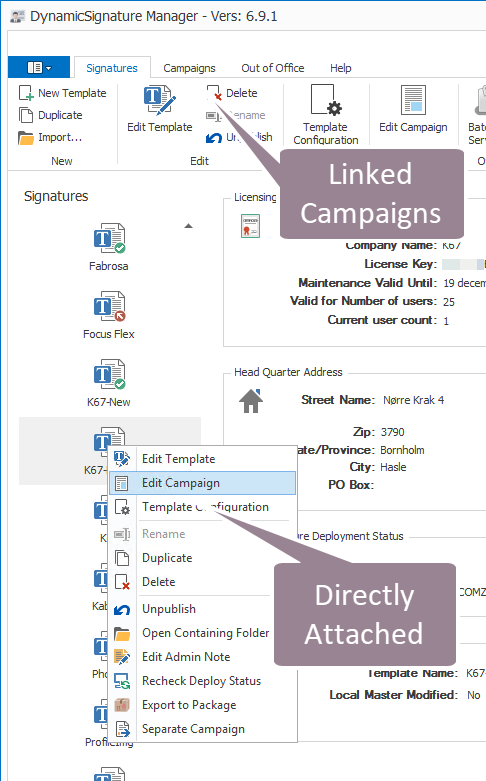
Before add‑ins were available, you could deploy a campaign in two ways:
1. Directly attached campaigns – accessed via the right‑click menu or toolbar.
2. Linked campaigns – introduced later as a separate feature.
The direct‑attachment method has been retired; all new deployments must use linked campaigns.
Historically we supported campaigns by attaching them directly to a signature.
This let administrators or other staff work with campaigns without editing the main body of the signature, reducing accidental changes.
Customers soon asked for a single campaign to be attached to multiple templates. In response, we built a new system that separates campaign management from template by linking.
That change introduced two ways to associate campaigns with signatures, possible causing confusion. To simplify our workflow, we will discontinue the direct‑attachment method and use only the new linking approach moving forward.